Configure authentication for Azure Kubernetes Service
As you deploy and maintain clusters in Azure Kubernetes Service (AKS), you implement ways to manage access to resources and services. Without these controls:
- Accounts could have access to unnecessary resources and services.
- Tracking credentials used to make changes can be difficult.
Use Microsoft Entra ID
Best practice guidance: Deploy AKS clusters with Microsoft Entra integration. Using Microsoft Entra ID centralizes the identity management layer. Any change in user account or group status is automatically updated in access to the AKS cluster. Scope users or groups to the minimum permissions amount using Roles, ClusterRoles, or Bindings.
Your Kubernetes cluster developers and application owners need access to different resources. Kubernetes lacks an identity management solution for you to control the resources with which users can interact. Instead, you can integrate your cluster with an existing identity solution like Microsoft Entra ID, an enterprise-ready identity management solution.
With Microsoft Entra integrated clusters in AKS, you create Roles or ClusterRoles defining access permissions to resources. You then bind the roles to users or groups from Microsoft Entra ID.
Microsoft Entra integration and how you control access to resources can be seen in the following diagram:
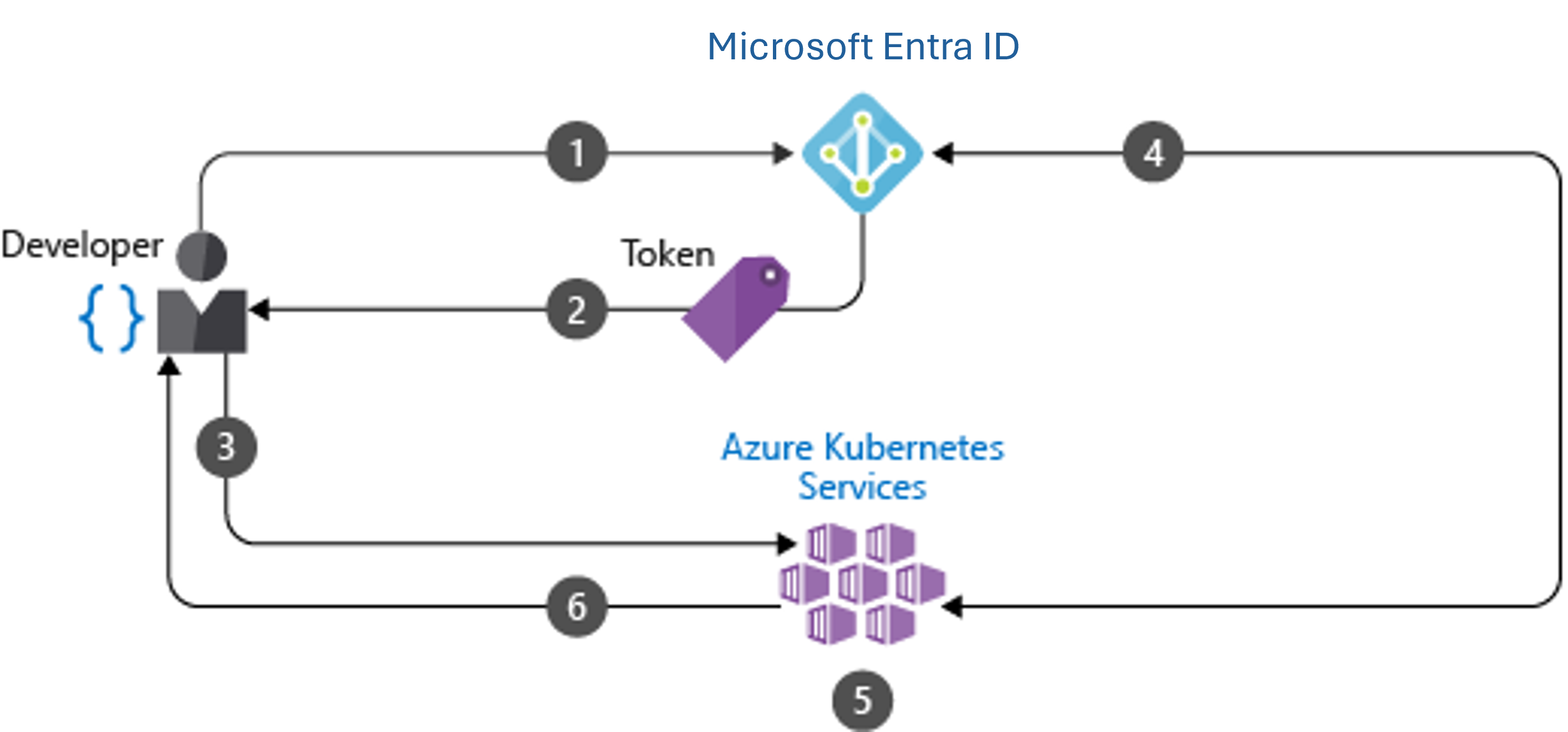
Developer authenticates with Microsoft Entra ID.
The Microsoft Entra token issuance endpoint issues the access token.
The developer performs an action using the Microsoft Entra token, such as kubectl create pod.
Kubernetes validates the token with Microsoft Entra ID and fetches the developer's group memberships.
Kubernetes RBAC and cluster policies are applied.
The developer's request is successfully based on previous validation of Microsoft Entra group membership and Kubernetes RBAC and policies.
Comments
Post a Comment